
選擇你離開的地方
繼續觀看,觀看列表和喜愛保持下一個觀看關閉。
Live TV. Film nights. One more episode.
所有你愛的一切,美麗相結合。
Available now for iPhone, iPad and Apple TV.
Mac continues on TestFlight ↗
 查看應用預覽
01 / THE EXPERIENCE
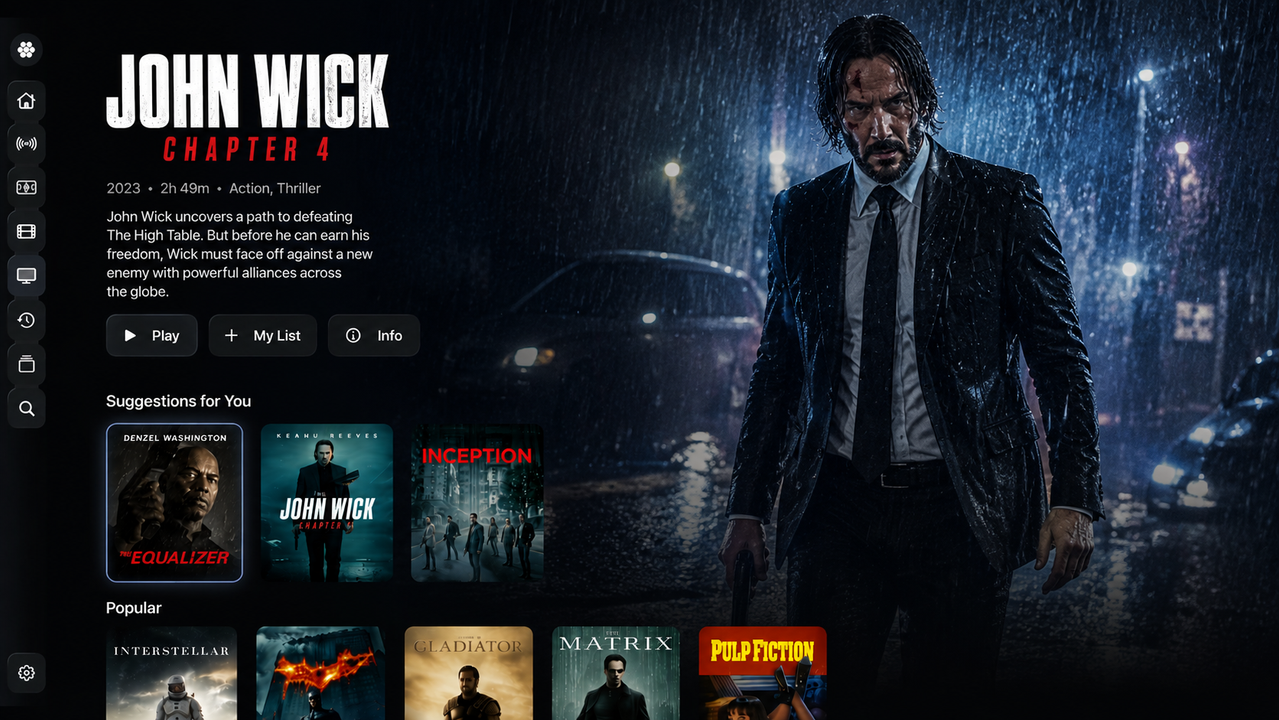
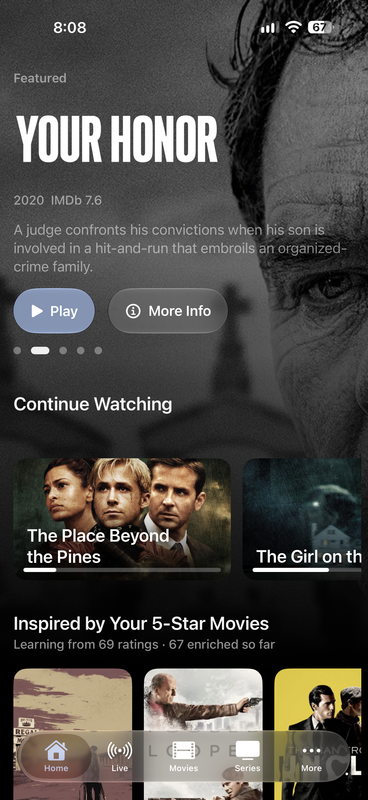
Your favourite services belong together. Find your film, pick up your series, or see what’s live. Odyssey makes it feel like one collection.
繼續觀看,觀看列表和喜愛保持下一個觀看關閉。
探索建議,搜索您的來源,併爲您的個人資料瞭解更多信息。
個人資料、源源接入和家長控制,爲整個家庭提供空間。
02 / MADE FOR THE WAY YOU WATCH
從第一頻道到關閉信用,細節使其屬於你。
Browse your channels, explore the programme guide and organise your favourites. Bring your own EPG for a lineup that makes sense.
智能搜索、豐富的標題細節、評分和建議,可以幫助您找到適合此時刻的東西。
Watch Party brings movie and series nights together with synchronised playback. Everyone uses their own source.
Audio and subtitle controls, watch progress, favourites and personal watchlists. Settle into a player built around you.
Use your browser to connect sources, manage profiles, edit channel icons and connect devices. Your management code brings it together.
開放玩家管理Dolby Vision Profile 7 with MEL playback and FEL reconstruction. 4K HDR, HDR10+, AV1, HEVC and WebM/VP9. BOSS Player Engine is the main engine, with your choice of player and fallback order.
Explore BOSS playback featuresImplemented in BOSS-enabled builds. Profile, device and output compatibility apply.
Classic, Minimal and Compact styles. Fine subtitle positioning and sync. Chapters, scrubbing previews and a detailed Video Stats HUD.
Choose BOSS, AetherEngine or KSPlayer on iPhone, iPad and Apple TV. Set your fallback order, change sources inside the player and resume where you left off.
03 / BRING YOUR WORLD
From a personal media server to your favourite live playlist. Connect what you already use.
添加您的第一源Also supports BOSS addons. Odyssey is a player. Bring your own authorised media and services; no channels or subscriptions are included.
04 / CHANNEL STUDIO
Turn your collections into channels that feel like you. A weekend movie marathon. A nightly comedy hour. A lineup worth leaving on.
Go deeper with channel templates, custom logos, weighted rotations, seasonal schedules, premiere windows and programme promos. Advanced options depend on your connected Odyssey build.
開通頻道編輯A little comedy. A great film. Your kind of night.
Series rotation · 2 episodes
來自您的電影收藏
回到你最喜歡的
05 / HOME DVR
Record Live TV to storage you control. Schedule from the guide, then let your Home DVR computer take it from there.
得到伴侶The Apple Silicon Mac beta is signed and notarised. Windows remains unsigned. See the download page for host requirements and the status of setup and recording tests.
啓動、停止和在您的計算機上進行直播電視錄製。
創建和撤回您的伴侶的私人直播電視鏈接。
Manage recordings and schedules from your configured Home DVR dashboard.
Recording, sharing and restreaming are for authorised Live TV. Movie and series Watch Party uses each participant’s own source.
Download Odyssey for iPhone, iPad and Apple TV from the App Store 商店. The Mac app remains on TestFlight.
Bring your own compatible, authorised media sources. Odyssey does not include content, channels or third-party subscriptions.
管理玩家 brings your sources, profiles and connected devices together. Use Channel Studio to create and schedule personal channels. Web management is free.
Home DVR records, shares and restreams Live TV using your own computer. Watch Party synchronises movies and series, with each person playing from their own authorised source. See the Home DVR downloads 可用性和設置。
Source details saved through management are encrypted at rest. You can control profiles and device access, change your management code and delete your account. Read the 隱私政策 爲了細節。