
Pick up where you left off.
Continue Watching, watchlists and favourites keep your next watch close.
Live TV. Film nights. One more episode.
Everything you love, beautifully together.
Available now for iPhone, iPad and Apple TV.
Mac continues on TestFlight ↗
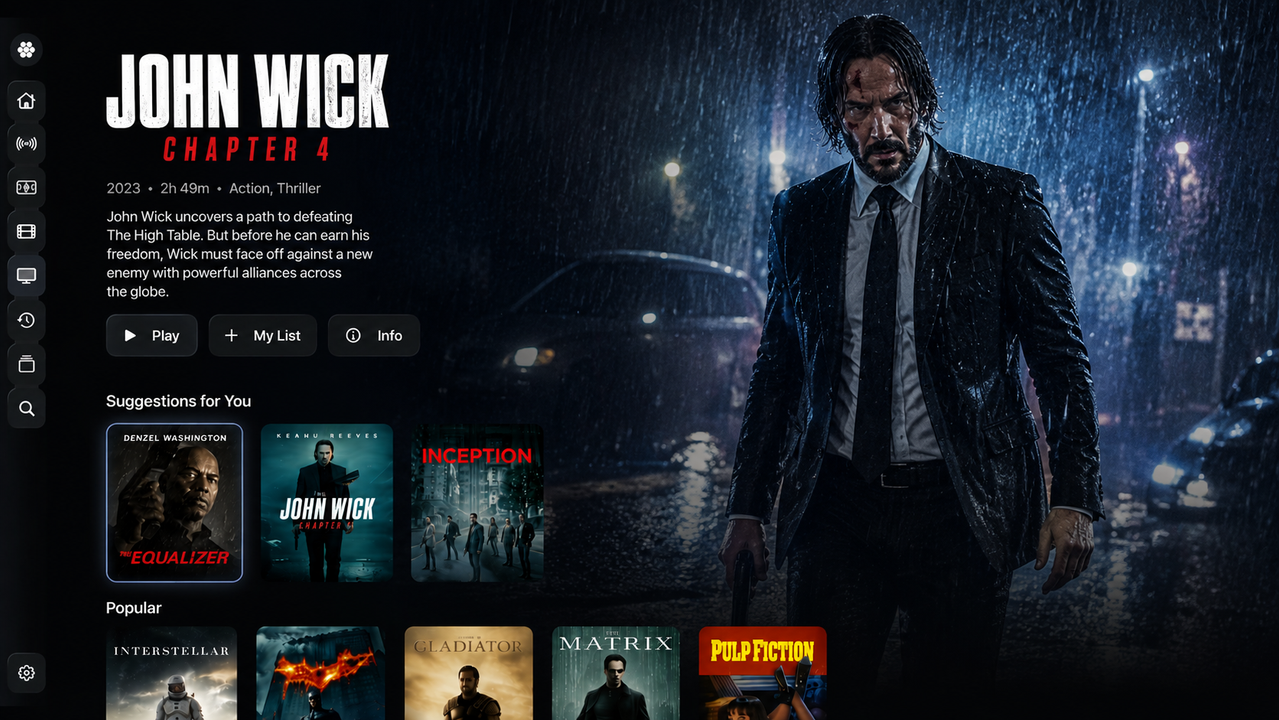 Explore the app preview
01 / THE EXPERIENCE
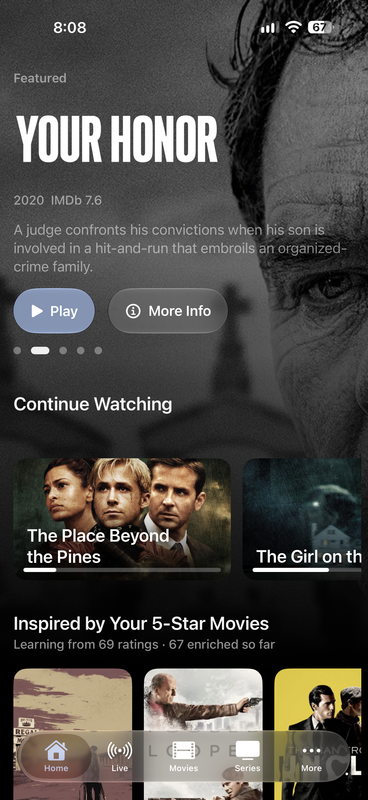
Your favourite services belong together. Find your film, pick up your series, or see what’s live. Odyssey makes it feel like one collection.
Continue Watching, watchlists and favourites keep your next watch close.
Explore recommendations, search your sources and discover more for your profile.
Personal profiles, source access and parental controls make room for the whole household.
02 / MADE FOR THE WAY YOU WATCH
From the first channel to the closing credits, the details make it yours.
Browse your channels, explore the programme guide and organise your favourites. Bring your own EPG for a lineup that makes sense.
Smart search, rich title details, ratings and recommendations help you find something that fits the moment.
Watch Party brings movie and series nights together with synchronised playback. Everyone uses their own source.
Audio and subtitle controls, watch progress, favourites and personal watchlists. Settle into a player built around you.
Use your browser to connect sources, manage profiles, edit channel icons and connect devices. Your management code brings it together.
Open player managementDolby Vision Profile 7 with MEL playback and FEL reconstruction. 4K HDR, HDR10+, AV1, HEVC and WebM/VP9. BOSS Player Engine is the main engine, with your choice of player and fallback order.
Explore BOSS playback featuresImplemented in BOSS-enabled builds. Profile, device and output compatibility apply.
Classic, Minimal and Compact styles. Fine subtitle positioning and sync. Chapters, scrubbing previews and a detailed Video Stats HUD.
Choose BOSS, AetherEngine or KSPlayer on iPhone, iPad and Apple TV. Set your fallback order, change sources inside the player and resume where you left off.
03 / BRING YOUR WORLD
From a personal media server to your favourite live playlist. Connect what you already use.
Add your first sourceAlso supports BOSS addons. Odyssey is a player. Bring your own authorised media and services; no channels or subscriptions are included.
04 / CHANNEL STUDIO
Turn your collections into channels that feel like you. A weekend movie marathon. A nightly comedy hour. A lineup worth leaving on.
Go deeper with channel templates, custom logos, weighted rotations, seasonal schedules, premiere windows and programme promos. Advanced options depend on your connected Odyssey build.
Open channel editorA little comedy. A great film. Your kind of night.
Series rotation · 2 episodes
From your movie collection
Back to your favourites
05 / HOME DVR
Record Live TV to storage you control. Schedule from the guide, then let your Home DVR computer take it from there.
Get the companionThe Apple Silicon Mac beta is signed and notarised. Windows remains unsigned. See the download page for host requirements and the status of setup and recording tests.
Start, stop and schedule Live TV recordings on your own computer.
Create and revoke private Live TV links from your companion.
Manage recordings and schedules from your configured Home DVR dashboard.
Recording, sharing and restreaming are for authorised Live TV. Movie and series Watch Party uses each participant’s own source.
Download Odyssey for iPhone, iPad and Apple TV from the App Store. The Mac app remains on TestFlight.
Bring your own compatible, authorised media sources. Odyssey does not include content, channels or third-party subscriptions.
Manage Player brings your sources, profiles and connected devices together. Use Channel Studio to create and schedule personal channels. Web management is free.
Home DVR records, shares and restreams Live TV using your own computer. Watch Party synchronises movies and series, with each person playing from their own authorised source. See the Home DVR downloads for beta availability and setup.
Source details saved through management are encrypted at rest. You can control profiles and device access, change your management code and delete your account. Read the privacy policy for details.